Functional prototypes
Working code built quickly to test an idea with real behavior.
Some ideas only make sense with real data, real latency or real AI output. A functional prototype is throwaway code that tests them. This is where product engineers have an advantage, as long as the prototype is treated as disposable.
Why it matters for a product engineer
Some ideas only make sense with real behaviour: real data, real delays, real AI output, real touch. A functional prototype tests them with code that is meant to be thrown away. Product engineers can build one in hours, and with coding agents often in minutes. The skill is less in building it and more in learning from it and then letting it go.
How to do it
- Write the one question the prototype must answer, such as “does this gesture calm people?”.
- Build only what the question needs. Skip accounts, settings and edge cases.
- Build several different versions when you do not know the answer, instead of one polished one.
- Put it in front of people quickly, or send it instead of a long explanation.
- Write down what you learned and what you decided, next to the prototype.
- Keep the prototype separate from the product code. Take the idea forward, not the code.
Common mistakes
- A prototype that grows into the product, with its shortcuts.
- Polishing it before anyone has seen it.
- One prototype, so there is nothing to compare.
- Showing it without a question, and collecting only compliments.
Example
Unai Esteibar, who makes Mamitsu, often builds a two-hour demo and sends that instead of explaining an idea; many ideas are built in the morning and thrown away by the afternoon. On 18 November an agent built ten prototypes of interactive emotional regulation for RelievApp, from zero, in about 75 minutes. (Mamitsu, RelievApp)




RelievApp's ten prototypes, on the morning of 18 November
- 07:15Ten prototypes asked forDecision"Without considering what we've already done", from narrow protocols to broad systems.
- 08:31Ten prototypes readyShippedEach one built with different technology, kept outside the product code.
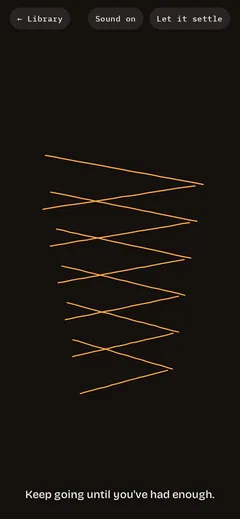
- Same daySpoken feedbackResultWhich ones could become sessions, and in what form: a shooting-star game, a pendulum with sound.
Ten different answers to one question, in a morning. The decision that matters is which ideas to keep, not which code.
ObservedRelievApp's git log and decision log, 18 Nov 2026
Sources: UX strategies for complex-application design (NN/g) ↗
AI leverage
Use AI in your workUse AI to support this skill. Your judgment and verification remain part of the work.
- Workflow
- Generate interface variants and working scaffolds from a specific user task and realistic sample data.
- Limitations
- Polish can hide missing states, inaccessible interactions and unrealistic backend behavior.
- Verification
- Exercise empty, loading, error and permission states; observe people attempting the target task.
Technical leverage
Connect the interface to real APIs or representative stubs so the prototype tests interaction and feasibility together.
Evidence of mastery
Put it into practice- Practice
- Build two versions of a risky interaction and test them on the same task.
- Artifact
- A runnable prototype and notes showing what changed after observation.
What good looks like
- Failure states are testable.
- Decisions cite task behavior rather than visual preference alone.
Use this evidence to assess your work. Your map status is a self-assessment, not a certification.
In practice
Real products
Resources
1- articleGo deeper
UX strategies for complex-application design ↗
NN/g · 2025 · 10 minWhy rough prototypes with real scenarios beat polished mockups early on, especially for expert tools.
Tools
3- ToolFreemium
Figma
Collaborative interface design and prototyping in the browser, the industry default.
- ToolOpen source
Penpot
Open-source design and prototyping tool, self-hostable, built on open web standards.
- ToolOpen source
Excalidraw
Open-source whiteboard with a hand-drawn look, for quick sketches, flows and diagrams.